
Many visitors to assisted living facility websites expect clear, up-to-date information so you can quickly evaluate safety, care levels, staff qualifications, costs, daily life, amenities, and admission procedures; photos, virtual tours, testimonials, contact options, and transparent policies help you gauge trustworthiness and fit for your loved one.
Key Features of Assisted Living Facility Websites
You want a site that answers practical questions quickly, demonstrates transparency, and helps you compare options; for example, clear pricing tiers (entry fee vs. monthly), searchable floor plans, virtual tours, and up-to-date inspection or accreditation documents. Prioritize pages that show staffing ratios or schedules (e.g., day vs. night coverage), sample menus, and calendar events so you can assess daily life and safety at a glance.
- Clear services list: specific assistance levels (ADLs, medication management, memory care, rehab services) with examples of what’s included per level.
- Pricing and contract details: entry fees, monthly fees, what utilities and services are bundled, and any third-party vendor costs.
- Staff information: photos, roles, certifications, average tenure, and staff‑to‑resident ratios or shift coverage examples.
- Virtual tours and floor plans: 360° videos, downloadable PDFs, square footage, and typical room layouts to evaluate accessibility and space.
- Dining and menus: sample weekly menus, accommodation for dietary needs, and meal service times with photos of dining areas.
- Activities and social calendar: weekly schedules, outings, therapy programs, and case study examples of resident engagement outcomes.
- Testimonials and third‑party reviews: recent family testimonials, links to Google/Yelp, and responses to negative feedback.
- Contact and scheduling options: online tour booking, live chat, clear phone hours, and emergency contact procedures.
- Health, safety, and compliance: infection control policies, emergency plans, vaccination policies, and links to inspection reports.
- Application and admissions: downloadable forms, step‑by‑step admission timeline, and waiting‑list procedures.
- Accessibility and UX features: mobile responsiveness, WCAG 2.1 AA guidance, adjustable text size, and keyboard navigation examples.
- This provides families the concrete facts – from costs to care levels – needed to shortlist and schedule in‑person visits.
Clear Information on Services Offered
You need service descriptions that list exactly what’s provided: assistance with bathing, dressing, medication administration, 24/7 on‑site staff, memory care programs, and rehabilitative therapy hours per week. Include sample care plans or case examples (e.g., short‑term post‑op rehab vs. long‑term progressive memory support), any third‑party medical providers used, and whether hospice services are facilitated on‑site so you can match offerings to your loved one’s needs.
Accessibility and User-Friendly Design
You should expect mobile‑first pages, intuitive navigation, high‑contrast text, resizable fonts, clear call‑to‑action buttons for tours or contact, and load times under 3 seconds. Provide keyboard navigation and labeled form fields so you or an older relative can complete inquiries easily, and state compliance with accessibility standards like WCAG 2.1 AA to demonstrate intentional design for diverse users.
For deeper accessibility, include ARIA landmarks, meaningful alt text for images, transcripts and captions for videos, and a visible “skip to content” link. Test the site with real users from your target demographic and run audits with tools like Lighthouse or WAVE; track fixes (e.g., 1-2 week sprints) and publish a changelog so you can see ongoing commitment to usability and inclusivity.
Virtual Tours and Images
Importance of Visual Representation
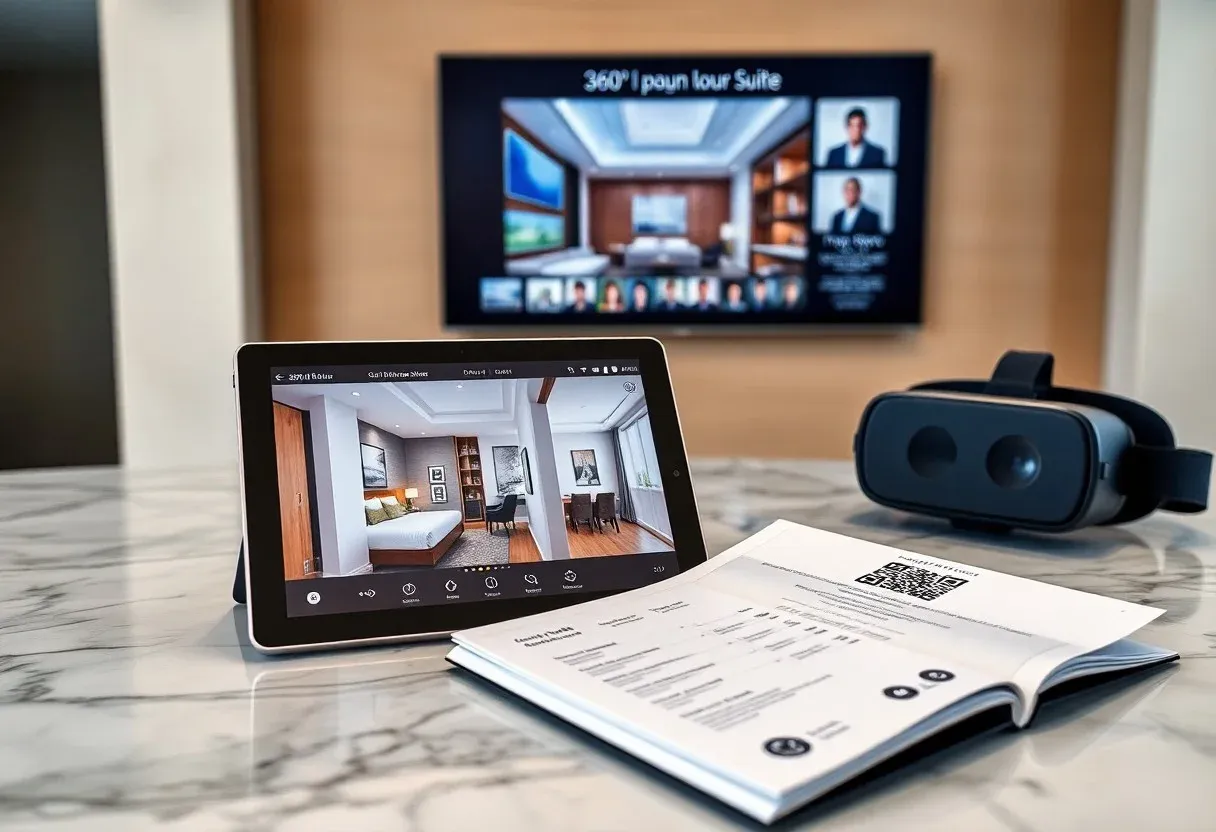
You should present a mix of high-resolution photos, 360° panoramas and short videos so visitors can quickly assess layout and condition. Aim for 20-40 images and 1-3 minute narrated walkthroughs that show private rooms, bathrooms, dining areas and staff interaction. Clear captions and floor plans reduce uncertainty, and labeled photos of safety features-grab bars, call systems, handrails-give families concrete details to compare facilities side-by-side.
Highlighting Amenities and Common Areas
Focus image sets on 6-8 key spaces: dining room, activity room, therapy gym, salon, outdoor courtyard, library and private-suite sample. Use wide-angle shots to convey scale and include at least one photo showing furniture layout and accessibility features like ramps and door widths. Short clips of scheduled activities-music night, OT session, communal meals-help you demonstrate daily life, not just static decor.
When you stage these spaces, add captions with specifics: seating capacity, surface types, wheelchair access, and typical usage (e.g., “daily breakfast service 7-9 AM; weekly yoga Tue/Thu 10 AM”). Include a labeled floor plan and a 360° garden tour to show circulation and sightlines. If possible, feature brief staff introductions in videos and sample menus or activity calendars to give families actionable context beyond visuals.
Staff Qualifications and Training
When reviewing a facility, check for documented training hours, specialty certifications, and continuing education policies. Many programs require 40-75 hours of initial caregiver training plus 12-24 hours of annual in‑service education; you should see evidence of medication administration, dementia care, and fall‑prevention modules. Also verify on‑site nursing coverage-night and weekend RN availability or well‑defined on‑call systems-and proof of background checks and CPR/first‑aid certification.
Presence of Staff Credentials
Expect to find licenses and credentials listed by role: RNs, LPNs, CNAs, licensed social workers, and specialists like Certified Dementia Practitioners. You should be able to click links to verify state licensure and see the number of staff holding each credential. Ask whether medication aides have specific certification and how many team members are bilingual or trained in behavioral interventions for memory loss.
Overview of Staff-to-Resident Ratios
Facilities typically publish ratios by shift and care level: memory care often ranges 1:4-1:6 by day, general assisted living 1:8-1:12, and night shifts can be 1:20 or higher for low‑acuity residents. You should check whether posted ratios reflect actual staffing during mealtimes, activities, and emergencies, not just administrative targets.
For deeper insight, request staffing schedules and a recent staffing audit; for example, a 60‑resident community with six daytime caregivers yields a 1:10 ratio but hands‑on needs jump if 20% require two‑person transfers. You should also ask how float staff, agency nurses, and split shifts affect coverage during peak hours and special events.

Resident Testimonials and Reviews
The Value of Resident Feedback
You’ll find testimonials reveal day-to-day details-meal quality, activity variety, and staff responsiveness-that brochures omit. Pay attention when multiple reviews mention specifics like a 24/7 on-call nurse, an 8:1 resident-to-staff ratio during peak hours, or quick response to falls; those concrete examples show how policies affect outcomes. Also note dates and the reviewer’s relationship (spouse, adult child) to judge perspective and relevance to your needs.
How to Interpret Reviews
Focus on patterns rather than isolated praise or complaints: if three or more recent reviews describe missed medications or poor hygiene, that suggests a systemic problem; one glowing post doesn’t erase recurring issues. Give extra weight to entries with dates, staff names, or photos, and compare sentiment across platforms like Google, Facebook, and specialized senior-care sites to spot consistent strengths or weaknesses.
Cross-check reviews with objective sources such as state inspection reports, Medicare ratings, and the facility’s staffing disclosures. Prioritize reviews from the past 12 months and treat a sample size under ten with caution. When possible, contact reviewers for details and note whether administration responds promptly and transparently-responsive follow-up often signals accountability and willingness to improve.
Location and Community Integration
Where the facility is located directly affects your loved one’s routine and your ability to visit: aim for a site within a 20-30 minute drive or on a direct transit route to make weekly visits realistic. Also confirm proximity to emergency care (for example, a hospital or Level II trauma center within 3-5 miles), grocery stores, and parks so your family member can maintain independence and access services quickly.
Importance of Proximity to Family
If frequent visits matter to you, prioritize facilities that minimize travel time-ideally under 30 minutes by car or on a single transit line under one hour door-to-door. Shorter distances increase spontaneous contact, reduce caregiver strain, and support participation in family events; research links regular family interaction to lower loneliness and better mood for residents. Verify visiting policies and on-site private spaces for family gatherings.
Local Resources and Activities for Residents
You should evaluate how the community connects with neighborhood resources: look for shuttle service to shopping and medical appointments, partnerships with senior centers and libraries, and cultural outings such as monthly museum trips or weekly farmers market runs. Strong programs often include intergenerational partnerships with nearby colleges, municipal wellness classes on campus, and off-site activities scheduled 2-3 times per month to broaden social engagement.
Dig into the activity calendar and logistics: check whether fitness classes run 3-5 times weekly, shuttles operate at least twice a week, and how many off-site excursions occur monthly (2-4 is common). Ask for sample attendance rates, examples of partnerships-like college volunteer art classes or monthly orchestra visits-and any metrics on resident satisfaction to assess how robust and consistent the offerings really are.
Transparency in Pricing and Contracts
Contracts should outline base rent, entrance fees, deposits, and care-rate formulas so you can compare facilities objectively. Expect base monthly fees typically between $2,500 and $6,000, with level-of-care add-ons from $300 to $2,000 per month; some communities use entrance fees of $20,000-$100,000 instead. Check refund windows (30-90 days), annual fee increase caps (commonly 3-5%), arbitration clauses, and notes on Medicare/Medicaid applicability for your state.
Breakdown of Costs
You should see line-item examples showing room rent (e.g., $2,800), meals ($600), utilities ($100-$200), and personalized care packages ($500-$1,200). Daily billing may be shown as per-diem rates such as $80-$120. Also verify what’s included-housekeeping, medical monitoring, transportation-and what’s billed separately so you can total expected monthly outlay before touring.
Understanding Additional Fees
Many facilities add fees that can raise your monthly bill: move-in or administrative fees ($500-$5,000), pet fees ($200-$400/month), parking ($25-$75/month), and medication administration ($10-$20/day). Therapy or specialty services are often charged per session (commonly $75-$150). Ask for sample resident invoices so you see how these extras affect total costs in practice.
Request an itemized fee schedule and a recent sample invoice; families have discovered hidden charges that increased bills by $800-$1,200/month until clarified. Negotiate caps on annual fee increases (for example, 3% annually), confirm refund policies for prepaid services, and compare bundled care packages versus a la carte billing-bundles can cut combined service costs by roughly 10-25% when you need multiple supports.
To wrap up
Summing up, when you search assisted living websites you want clear service descriptions, transparent pricing, staff qualifications and licensing, photos or virtual tours, safety protocols and care levels, family testimonials, location and visiting info, and easy ways to contact or tour the community so you can confidently evaluate fit for your loved one.